Showing posts with label Graphics Editor. Show all posts

Thursday, October 20, 2011

Free Download Photoscape v3.5 Free Photo Editing


Photoscape is an amazing free photo editor. It includes so many filters, tools and special effects. Photoscape includes just about everything you need to view, optimize, edit, print and have fun with your photos. In fact, it's so complete that many would call it a free Photoshop alternative.

One of the first striking elements in Photoscape is its uncommon interface design. From the program's main window you can choose what you want to do: view pictures, optimize those that didn't come out so well, print several photos on a single page collage-style or perhaps add any of the dozens of filters and special effects included in the program. Other extra tools featured in Photoscape are a file renamer, a color picker, a screen capture tool and even a RAW converter.

PhotoScape 3.5 :
1. Amazing free application
2. Lots of special effects and filters
3. Many extra tools to work with your photos

Features Of PhotoScape 3.5 :
1.   Viewer: View photos in your folder, create a slideshow
2.   Editor: resizing, brightness and color adjustment, white balance, backlight correction, frames, balloons, mosaic mode, adding text, drawing pictures, and more...
4.   Page: Merge multiple photos on the page frame to create one final photo
5.   Batch editor: Batch edit multiple photos
6.   Animated GIF: Use multiple photos to create a final animated photo
7.   Print: Print portrait shots, carte de visites(CDV), passport photos
8.   Combine: Attach multiple photos vertically or horizontally to create one final photo
9.   Screen Capture: Capture your screenshot and save it
10. Color Picker: Zoom in on images, search and pick a color
11. Splitter: Slice a photo into several pieces
12. Face Search: Find similar faces on the Internet
13. Rename: Change photo file names in batch mode
14. Raw Converter: Convert RAW to JPG
15. Paper Print: Print lined, graph, music and calendar paper

Download PhotoScape 3.5 HERE

Photoscape is the fun and easy photo editing software that enables you to fix and enhance photos.


Photoscape is a freeware photo editing utility that offers a lot of features. It has a reputation for being a very-high quality software package, rivaling even commercial image editing suites in terms of quality.

Saturday, October 8, 2011

Free Download Diagram Designer 1.19 Full Version


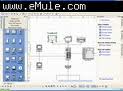
Diagram Designer is a simple vector graphics editor for creating flowchart and diagrams. Its features are customizable template object palette, slide show viewer, import/export WMF, EMF, GIF, BMP, JPEG, PNG, MNG, and PCX images, simple graph plotter to plot mathematical expressions, spellchecker, advanced pocket calculator with equation solver, MeeSoft Image Analyzer integration for bitmap image editing and extended file format support, and uses compressed file format for minimizing drawing file size.

Diagram Designer provides users with an opportunity to quickly design simple flow charts, which should appeal to business people. Though it has a snag with its text feature, the program's simplicity makes it a more attractive choice than other similar programs.
This download has an incredibly simple interface that should not take much getting used to, no matter what level of user you are. Happily, there are Help files on the Internet and within the program. One interface complaint comes from its ability to fill charts with color, since the palette is slightly hidden along the top. Users will gravitate toward the simple click-and-drag shapes and arrows that will comprise their diagrams. The diagrams were simple to create and adjust if mistakes were made. With a variety of shapes and arrows, even the most complex business flow chart or organizational map can be laid out and labeled on the fly, unlike similar downloads. Our only gripe was with labeling--if users wish to add bold, italic or other font enhancements it must be done using a form of HTML code, which complicates matters for users used to clicking a button for such changes.

This freeware program's text snag was easy to overlook since Diagram Designer created our chart much easier than similar products we've tested in the past. We recommend this program for anyone who needs diagrams in a hurry.

Download Diagram Designer HERE

Diagram Designer Features :

1. Customizable template object palette.
2. Spellchecker (see below about dictionaries).
3. Slide show viewer.
4. Simple graph plotter to plot mathematical expressions.
5. Uses compressed file format for minimizing drawing file size.
6. Import/export WMF, EMF, BMP, JPEG, PNG, MNG, ICO, GIF and PCX images.

Diagram Designer is a simple vector graphics editor for creating flowchart and diagrams. Its features are customizable template object palette, slide show viewer, import/export WMF, EMF, GIF, BMP, JPEG, PNG, MNG, and PCX images, simple graph plotter to plot mathematical expressions, spellchecker, advanced pocket calculator with equation solver, MeeSoft Image Analyzer integration for bitmap image editing and extended file format support, and uses compressed file format for minimizing drawing file size.
Related Posts Plugin for WordPress, Blogger...