Showing posts with label Multimedia. Show all posts
Wednesday, November 23, 2011
Full Video Converter v9.0.5.6
Full Video Converter has the capabilities to convert all popular video formats from HD to HD, HD to SD and SD to SD, transform Between audio formats, and create video from photos.
New features Full Video Converter 9.0.5.6 :
1.Added new interface.
2.Added video profiles supported by the newest iPhone 4.
Features Of Full Video Converter 9.0.5.6 :
1. Supported High-Definition videos: H.264/MPEG-4 AVC, AVCHD Video (*.m2ts, *.mts), Apple TV h.264 720P, MKV, HD WMV, MPEG2/MPEG-4 TS HD Video, and more.
2. Supported general video formats: AVI, MPEG, WMV, DivX, MP4, H.264/AVC, MKV, RM, MOV, XviD, 3GP, FLV, and more
3. Capture pictures in batches from video; create a video from pictures.
4. Allows transfer the converted files to iPod, iPhone and PSP directly.
.
5. Transform between MP3, WMA, WAV, RA, M4A, AAC, AC3, MP2, OGG and such audio formats; extract audio file from HD/SD video.
6. Support multi-core CPU, multi-threading and Batch process, and provide the highest speed possible to convert video files.
7. Compatible with iPod, iPhone, Apple TV, PSP, PS3, Xbox, Zune, Wii, NDS, PMP, mobile phone, MP4 players, and other multimedia devices.
8. Crop frame size; adjust brightness/saturation/contrast and add artistic effect; add watermarks.
9. Merge multiple files/clips into one and further add fun transitions between every two videos/pictures.
10. Offer a BitRate Calculator tool to customize the output file size exactly.
11. Clip off any favored segments and optionally merge them into a new one.
12. Split a single file into several files by preset time or size.
13. Add multiple subtitle files and soundtracks of different languages in your video.
14.Lots of video, audio, picture, tag and expert parameters are adjustable.
15. Select multiple output formats for one source file at one time and get them converted within one click.
Operating System :
WinXP, WinVista, WinVista x64, Win7 x32, Win7 x64, Win2000, WinOther, WinServer, Win98
With Full Video Converter 9.0.5.6 you can transfer the converted files to PSP, PS3, iPod, iPhone, Apple TV, Xbox and other digital devices for playback. Ingenious video editing functions are available to create featured videos.
Download Full Video Converter 9.0.5.6 HERE
Friday, November 4, 2011
Free Download Balabolka 2.3.0.511
Balabolka is an application that will “convert” your text into audio file. This software product can use any voice that is installed on your computer and text that is available on the screen will be saved in MP3, WAV, WMA, MP4, OGG file. With Balabolka you can create audio files from DOC, PDF, RTF, HTML, EPUB, etc files. Also you can customize background color and font. Reading is controlled from system tray or with hotkeys.Balabolka is a Text-To-Speech (TTS) program. All computer voices installed on your system are available to Balabolka. The on-screen text can be saved as a WAV, MP3, MP4, OGG or WMA file. The program can read the clipboard content, view the text from CHM, DjVu, DOC, EPUB, FB2, HTML, ODT, PDF and RTF files, customize font and background colour, control reading from the system tray or by the global hotkeys.

One of the main advantages of Balabolka is that it uses Microsoft Speech Api (SAPI) which allows you to change parameters of the voice like pitch and rate. Also you can apply substitution list that will improve quality of articulation. This feature is useful when you want to change the spelling of words. The rules for the pronunciation correction use the syntax of regular expressions.
New in This Balabolka Version :
1. Fixed small bugs.
2. Resources for Chinese (Simplified) language were updated
Balabolka can save the synchronized text in external LRC files or in MP3 tags inside the audio files. When you play any files made with Balabolka if you have a modern player that supports lyrics, text will be displayed synchronized with audio.
Download Balabolka HERE
Balabolka 2.3.0.511 :
Operating System : Microsoft Windows 2000/XP/2003/Vista/7
Size : 6729 KB
Version : 2.3.0.511
Licence : Freeware
Language : English, Arabic, Bulgarian, Chinese (Simplified), Chinese (Traditional), Czech, Dutch, French, German, Hungarian, Italian, Japanese, Korean, Polish, Portuguese (Brazil), Portuguese (Portugal), Romanian, Russian, Spanish, Ukrainian, Vietnamese
Balabolka supports skins that allow you to customize your window appearance.
The program uses various versions of Microsoft Speech API (SAPI); it allows to alter a voice's parameters, including rate and pitch. The user can apply a special substitution list to improve the quality of the voice's articulation. This feature is useful when you want to change the spelling of words. The rules for the pronunciation correction use the syntax of regular expressions.
Balabolka can save the synchronized text in external LRC files or in MP3 tags inside the audio files. When an audio file is played with players on a computer or on modern digital audio players, the text is displayed synchronously (at the same way, as lyrics for songs).
Thursday, November 3, 2011
aTube Catcher 2.6.769 Free Download
aTube Catcher is a handy application that allows you to easily download and convert videos to various formats for offline enjoyment. aTube Catcher also can burn in DVD/VCD your videos without use any other third party software. Among other features has a built-in Screen Recorder to Capture what you see on your screen, even video Chat sessions from Windows Live Messenger, Yahoo Messenger, DVD movies,Webinars, Online Meetings, etc, or just Create video/audio presentations. All those features and more!. 100% Freeware, safe and clean!. Multilanguage interface.Download videos from social web sites like MySpace, Dailymotion, Megavideo™, Google™, Yahoo™!, Metacafe™, Spike™, Megarotic™, Yahoo!™, Glob™o, RTVE™, etc; thousands of video sharing sites!; You can export the multimedia content to your computer or your mobile device, IPAD, IPOD, PSP, GPS devices, MP4 Players, Cell Phone, Android devices, DVD, VCD, MP3, Iphone. Plenty of formats supported including 3GP, 3G2, AVI, XVID, MP4, MP3, MP2, WMA, WMV, GIF, FLAC, WAV, PSP, MPG, VOB, OGG, MOV, AVI.
aTube Catcher Features :

1. More stable, reliable, and faster.
2. Turbo Downloads up to 600% faster.
3. Record video from your screen!, yes now you can record Live, Yahoo, etc Messenger video conferences with a few clicks, even video from sites like Hulu, CBS, directly from your Screen.
4. 2 steps to create and record DVD's.
5. New Video Converter Mode, convert lots of files easily with one click to any output format.
6. Capture Videos, SWF, and MP3's from any web site using StreamCatcher mode.
7. MP4,MP3,MPG,3GP,3G2,WMV,AVI,MOV,etc... almost any input/output format supported.
8. Introducing new profiles for encoding your videos/audios in.
9. Recorded DVD's can be played on any standard home DVD player.
10. Download or convert videos in multiple formats.
11. Built-in Profile editor, create, edit and share your custom encoding profiles with the community.
12. Supports all standard DVD/CD Recorders!
13. DVD Creator Mode.
14. Capture Videos, SWF, and MP3's from any web site using StreamCatcher mode.
15. Record video from your screen!, yes now you can record Live, Yahoo, etc Messenger video.
16. Conferences with a few clicks, even video from sites like Hulu, CBS, directly from your Screen.
17. New Video Converter Mode, convert lots of files easily with one click to any output format.
18. IE Cache Media Browser, browses the Internet Explorer's cache looking for Video files and SWF's.
19. URL Monitor. Yes, monitor your Web browser's windows to catch your links even if the address bar is hidden.
20. Multiple languages available.
21. Now you can merge existent videos into any format.
22. New video search tool, helps you to find thousands of videos in a few seconds, display results on your screen with a low memory usage; you can right click over results or double click to open built-in web player.
23. Now aTube Catcher takes advantage of the multi-core CPU's when converting multiple videos simultaneously. Put to work your new powerful multi-core cpu and enjoy its power.
You can download and export the multimedia content to your computer or your mobile device, IPOD, PSP, Cell Phone, DVD, VCD, MP3 (Yes, you can extract only audio tracks from your favorite videos), includes templates so you don't have to worry about the encoding options, but if you want, you can customize the options and get higher quality video/audio.
New in aTube Catcher 2.6.769 :1. Bugs fixed.
2. Issues with YouTube were fixed too.
3. Support for more than 50 video sharing sites.
4. Queue manager.
5. Athentication in Dailymotion is now
6. Supported. MP3 Template added. WMV issues fixed.
7. 3GP templates for mobile phones added
8. Support for 4 languages, Portuguese and Italian were added.
9. Smart Media Hunter included.
10. Default avi codec is now mpeg4, and xvid is included.
The default format is MPEG4 AVI, the file types supported are 3GP, 3G2, AVI, XVID, MP4, MP3, MP2, WMA, WMV, GIF, FLAC, WAV, PSP, MPG, VOB, OGG, MOV, AVI. aTube Catcher also is available in many languages, English, Spanish, French, German, Catalá, Slovensky, Portuguese and Italian (you can help to translate it to your language), all in a easy to use GUI, just Copy & Paste the url of your video.
Download aTube Catcher HERE
Labels:
Download aTube Catcher,
Multimedia,
New Software,
Video,
Video Tools,
Windows
Saturday, October 15, 2011
Free Download New RealPlayer 1.1.5 build 14.0.2.633
RealPlayer is an application that allows reproducing multimedia files, fundamentally those that are in Internet. This Real Player is the new RealPlayer SP. It's perfect for playing and sharing video with your friends and followers on Facebook and Twitter. Real Player includes RealOne Player, which I could reproduce RealAudio, RealVideo and RealFlash, Quicktime MPEG-4, Average Windows, DVD and many more. RealPlayer has always enabled you to play RealAudio (*.ra) and RealMedia (*.ram) files.Real Player allows reproducing transmissions done by means of the Web, reason why a good connection will be only the necessary thing to enjoy sound quality CD or complete screen video. Real Player also can works easily with your favorite flavors of Blackberry, iPod, iPhone and game systems. Then watch them anytime, anywhere you want. Now you can download and organize your favorite videos from YouTube and thousands of other sites.This version counts on the possibility of unloading videos of the Web of simple way, the possibility of constructing lists of videos, and of recording them to CD or DVD.

The new video converter makes it easy to copy online video to your iPod, cell phone, Xbox, PS3 or other favorite device. RealPlayer SP is the easiest way to share your favorite videos--with your favorite people--on your Facebook page or Twitter feed. Its advanced video features let you burn DVDs with a single click.
RealPlayer 1.1.5 Build 14.0.2.633 :
1. Download videos from thousands of Web sites with just one click
2. Build your own video library and playlists
3. Play all major audio and video formats
4. Flash Video support
5. DVD, SVCD, VCD burning and video recording
RealPlayer for personal use includes audio CD burning capabilities, DVR-style playback buffering, multimedia search, Internet radio, a jukebox-style file library, an embedded web browser (using Microsoft Internet Explorer), and the ability to transfer media to a number of portable devices, including Apple's iPod, MP3 players, and Windows Media devices.
RealPlayer is a free cross-platform media player that can play all the popular media formats and offers a wide collection of extra features: video downloads and transfers, multiple format video conversion, social network sharing, advanced CD burning, a built-in media browser, optional toolbar for IE etc.
Operative System :
XP / 2000 / ME / 9x / Vista / 2003 / NT / xp x64 / 7 / Vista 64 / 7 x64
Minimum System Requirements:
Pentium® III 700 Mhz / RAM: 128 MB
RealPlayer Features :1. Advanced CD burning, ripping and mixing.
2. High-speed MP3 encoding.
3. Online Radio with more than 3200 available worldwide and 60 add-free stations.
4. Supports all popular media formats including Quicktime, MPEG-4, Windows Media and DVDs.
5. Media library for organizing audio and video files.
6. Playlist editor with “drag&drop” support.
7. A built-in media browser based on Internet Explorer.
8. A 10-Band Graphic Equalizer for sound optimization, and advanced video controls for a high-quality image.
Download For RealPlayer HERE
RealPlayer 1.1.5 Build 14.0.6.666 is licensed as Freeware for the Windows operating system / platform.
Thursday, October 13, 2011
Free Download Latest VLC Player 1.1.11 Full Version`
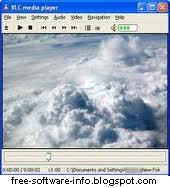
VLC media player is a highly portable multimedia player for various audio and video formats as well as DVDs, VCDs, and various streaming protocols without external codec or program. The toolbars are fully customizable, so you can have only the buttons you need in the interface, there's AirTunes streaming, and there's better integration in Gtk environments.Along with the improvements, VLC continues to offer robust support for a wide range of video and audio formats, including OGG, MP2, MP3, MP4, DivX, HD codecs like AES3, Raw Dirac, and even support for playing back zipped files. It can also be used as a server to stream in unicast or multicast in IPv4 or IPv6 on a high-bandwidth network.
VLC media player is definitely one name that fights for supremacy. It is, by definition a multimedia player that supports virtually all formats, regardless if we’re talking about audio or video files.
Download VLC-1.1.11 HERE
If you want to enjoy video and music, Download VLC Media Player LatestVersion 1.1.11 is the best application that can do it. With plenty offormats that can be read then Download VLC Media Player LatestVersion 1.1.11 can already do well. If you look at other applicationslike media players, itunes and real player then Download VLCMedia Player Latest Version 1.1.11 is the application that you need.The software comes with some configuration steps straight from the installer so that you can configure which files you want VLC to handle. And trust us, this is indeed a great feature, given the fact that VLC has a very rich settings menu, so forcing users to browse among all these options wouldn’t be such a great idea.
VLC can play:1. MPEG-1, MPEG-2 and MPEG-4 / DivX files from a hard disk, a CD-ROM drive, and so on
2. DVDs, VCDs, and Audio CDs
3. From satellite cards (DVB-S)
4. Several types of network streams: UDP/RTP Unicast, UDP/RTP Multicast, HTTP, RTSP, MMS, etc.
5. From acquisition or encoding cards (on GNU/Linux and Windows only)
VLC media player has tons of options, not only related to the visual appearance, but also to configure its functionality. Not to mention that it can provide a wide variety of information regarding the currently opened files.
Version 1.1.11 contains improvements in the fullscreen mode of the Win32 Mozilla plugin and fixes security issues in the real and avi demuxers. The interface perfectly matches the idea behind this product: it’s a simple look for a very powerful application. Although the interface is nothing special, it’s excellent for those who just want to open multimedia files without wasting their time. Plus, those who’re not satisfied with a simple appearance can always use the skin support and pick something different from the developers’ website.VLC Media Player is a long-time open-source favorite, and the latest version is also the first to be out of beta development. It's not the only option for free video playback, but it's one of the best, and the feature updates in version 1 make it well worth the upgrade
Saturday, October 8, 2011
Free Download FLV Player 1.8.1.2 Full
FLV Player is a fully functional player to play flash video (flv video) downloaded from popular sites. FLV Player automatically adds .flv extension association to your system, and you can play any flv video in Free FLV Player just by opening it. flv extension association to your system, and you can play any flv video in Free FLV Player just by opening it. The program also offers a nice interface for self-updating.
This program is delivered as freeware, and does not contain any ads, spyware, or viruses. You can play videos at any resolution including full screen. Also you can change playback speed, play videos by frames, etc. With Free FLV Player you get a simple yet powerful tool for viewing FLV video files on the spot!
Features of FLV Player 1.8.1.2 :
1. FLV Player plays flash video downloaded from sites like , Google Video, MySpaceTV, etc.
2. You can play FLV videos on any Windows PC by double clicking video files.
3. FLV Player plays flash video downloaded from sites like YouTube, Google Video, MySpaceTV, etc.
4. FLV Player is simple, small and easy to use. The installation file size is 2.38 MB.
5. FLV Player can play any media file formats supported by your PC and by the configuration of codecs.
6. FLV player is not sensitive to errors inside avi video files.
7. FLV player is not sensitive to errors inside avi video files.
9. You can change playback speed, play videos by frames, etc.
10. If you have a Broken, or incomplete video, Free FLV player should be able to play it anyway, depending on installed codecs.
11. You can change playback speed, play videos by frames, etc.
12. Uninstall is 100% working and cleans the installation. You can uninstall Free FLV Player at any time. you can free download Free FLV Player 1.8.1.2 now.
Download FLV Player HERE
System Requirements:
Platform: Windows 2000/XP/2003/Vista/Windows 7
Web Browser: Internet Explorer 5.0 or later
Friday, October 7, 2011
Free Download Camstudio 2.6 Build r294
CamStudio is able to record all screen and audio activity on your computer and create industry-standard AVI video files and using its built-in SWF Producer can turn those AVIs into lean, mean, bandwidth-friendly Streaming Flash videos. CamStudio can also add high-quality, anti-aliased screen captions to your recordings in seconds and with the unique Video Annotation feature you can even personalise your videos by including a webcam movie of yourself "picture-in-picture" over your desktop.
CamStudio also comes with its own Lossless Codec that produces crystal clear results with a much smaller filesize compared with other more popular codecs, like Microsoft Video 1.
You have total control over the output of your video: you can choose to use custom cursors, to record the whole screen or just a section of it and can reduce or increase the quality of the recording depending on if you want smaller videos (for emailing to people, for instance) or you can have "best quality" ones for burning onto CD/DVD.
But all of these features would be worthless if CamStudio wasn't easy to use ... fortunately that's not the case. CamStudio can be learned in a matter of minutes and comes with a comprehensive built-in helpfile, so if you do manage to get stuck, you can simply hit "Help" and get the answers you need.
Features Of Camstudio :
1. You can use it to create demonstration videos for any software program.
2. You can create video tutorials for school or college class.
3. You can use it to record a recurring problem with your computer so you can show technical support people.
4. You can use it to create video-based information products you can sell
5. You can even use it to record new tricks and techniques you discover on your favourite software program, before you forget them .
Download camstudio 2.6 HERE
CamStudio can record your computer's screen and audio activity and generate AVI video files. Use the built-in SWF Producer to turn the AVI files into lean, mean, friendly-bandwidth SWF files.
CamStudio can also add high-quality, anti-aliased (no jagged edges) screen captions to your recordings in seconds and with the unique Video Annotation feature you can even personalise your videos by including a webcam movie of yourself "picture-in-picture" over your desktop. CamStudio can be learned in a matter of minutes and comes with a comprehensive built-in helpfile, so if you do manage to get stuck, you can simply hit "Help" and get the answers you need.
Monday, October 3, 2011
Free Download Real Player SP 14.0.6.6

Download RealPlayer HERE
Real Player SP :
1. Allows sharing of media to mobile devices and social networking sites
2. Features a video converter for multiple formats
3. Online Radio: Over 3200 stations worldwide & 60 ad-free stations for endless listening.
4. Excellent CD burner
5. Works with Windows 7
6. Copy favorite videos to mobile devices.
Sunday, October 2, 2011
Free Download VCD Cutter 4.04 Full Version
Download VcdCutter 4.04 HERE

VCD Cutter Features :
1. Cut mpg clips to disk, and save them as mpg (video&audio),m1v(video only),or mp3 (audio only) files. supported streams include:mpg system stream(MPG), video only stream(M1V), or audio onlystream(MP3).
2. Divide big MPG stream in to multi-smaller parts.
3. Split MPG system stream(mpg) into them component(m1v,mp3).
4. Mplex mpeg video(m1v) and mpeg audio(mp3) into system stream(mpg).
5. Converter: AVI => MPG.
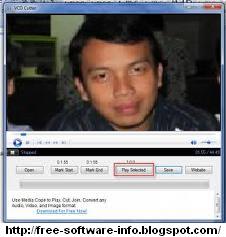
This is a very easy to use VCD Cutter which can cut clips from any of your VCD in simple 3 steps. It maintains the VCD quality so you can enjoy the final clipped video without any quality loss.
Steps to use vdc cutter :1. Supports most movie formats (MPG, DAT, AVI, WAV, MOV, M1V,MPV).
2. Open the VCD(DAT) file by clicking open.
3. Mark start and end of VCD Clip to be made.
4. Click Save and choose the output file name.
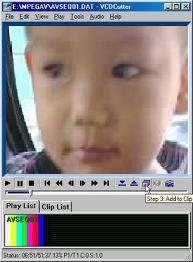
This VCD Cutter version can play MPG,VCD,orother movie files(such as MPG,DAT,AVI,MOV). Very friendly and menu drivenwith full featured control with movie file. VCDCutter can extract MPG,framefrom VCD or MPG file, cutting your favourite part or whole MPG file to diskwhen playing(now can extract system stream,or video,audio stream only).
Friday, September 30, 2011
Free Download K-LITE CODEC PACK v7.7.0 Full Version
K-Lite Codec Pack is a collection of codecs and DirectShow filters, and is a free software bundle which contains everything you need to play the most popular audio and video formats ; DivX, XviD, AC3, WMV, WMA, MP3, MPEG2. It's includes 99% of all the audio and video codecs you will ever need. It also has a encoding support for some of the formats.
K-Lite Codec Pack Latest. Software K-Lite codec Pack is one of the classic media player software that can "read" a lot of audio-video file format. Currently K-lite codec pack latest was releasedand ready for download. By using K-Lite Codec Pack latest,computer buddy will be able to play or play more video and audiofile formats. So do not wait anymore, please download k-lite codec pack 7.70 full latest version.
Download K-Lite Codec Pack 770 HERE
K-Lite Codec Pack 7.7 Support for :1. Media Player Classic
2. DivX Pro
3. Windows Media 9 VCM
4. Windows Media
5. Intel I.263
6. MS MPEG-4
7. MPEG-4 Low and Fast motion
8. Cyberlink DVD decoder
9. Elecard MPEG-2 demuxer, and more...
K-Lite Codec Pack provides access to configuration options for each codec whenever available. K-Lite Mega Codec Pack includes codecs for the most popular compressions like Divx and Xvid as well as some of the less popular but still necessary codecs.
K-Lite Codec Pack 7.7 Features :

1. Player:
1.a. Media Player Classic Homecinema [version 1.5.3.3705]
2. DirectShow video decoding filters:
2.a. LAV Video [version 0.33 build 2011-08-25]
2.b. XviD [version 1.3.0 build 2010-12-07]
2.c. On2 VP7 [version 7.0.10.0]
2.d. DScaler5 MPEG-2 decoder [version 0.0.6.0 IVTC mod]
3. DirectShow audio decoding filters:
3.a. ffdshow [version 1.1.3978]
3.b. LAV Audio [version 0.33 build 2011-08-25]
3.c. AC3Filter [version 1.63b]
3.d. MONOGRAM AAC decoder [version 0.9.6.0]
4. DirectShow audio parsers:
4.a. madFLAC [version 1.10]
4.b. CoreWavPack [version 1.1.1]
4.c. MusePack (MONOGRAM) [version 0.9.2.0 | 0.4.0.0]
4.d. Monkey's Audio (DCoder) [version 1.0]
4.e. OptimFROG (RadLight) [version 1.0.0.1]
4.f. AMR (MONOGRAM) [version 1.0.1.0]
4.g. DC-Bass Source [version 1.3.0]
4.h. AC3File [version 0.7b]
5. DirectShow source filters:
5.a. Haali Media Splitter [version 1.11.96.14]
5.b. LAV Splitter [version 0.33 build 2011-08-25]
5.c. AVI splitter (Gabest) [version 1.5.3.3705]
5.d. CDXA Reader (Gabest) [version 1.5.3.3705]
6. DirectShow subtitle filter:
6.a. DirectVobSub (a.k.a. VSFilter) [version 2.40.3705.0]
7. VFW video codecs:
7.a. ffdshow VFW interface
7.b. XviD [version 1.3.2]
7.c. On2 VP7 [version 7.0.10.0]
7.d. Lagarith [version 1.3.25]
8. ACM audio codecs:
8.a. MP3 (LAME) [version 3.98.2]
8.b. AC3ACM [version 1.9]
9. Tools:
9.a. Codec Tweak Tool [version 5.0.8]
9.b. Win7DSFilterTweaker [version 4.6]
9.c. MediaInfo Lite [version 0.7.48]
9.d. VobSubStrip [version 0.11]
9.e. GraphStudio [version 0.3.2.0]
9.f. Haali Muxer
9.g. Bitrate Calculator
With the K-Lite Codec Pack you should be able to play all the popular movie formats and even some rare formats. This package is mainly for power users and people who do their own encodings.K-Lite Codec Pack is an additional application for Windows that can play almost all video formats on the internet. With K-Lite Codec Pack you can watch and watch all the video formats.
Thursday, September 29, 2011
Free Zoom Player Max 8.0.0. rc2
A Media mode which can play any file supported by DirectShow (any file which plays in MediaPlayer) and a DVD mode which uses pre-installed DirectShow DVD filters to play DVD content. It supersedes media player in all it`s functions and provides several important functions that media player lacks.
Zoom Player provides special zooming functions to improve TV-Output quality by eliminating overscan.
Download ZoomPlayer HERE
Features of Zoom Player Home MAX :
1. Blu-Ray Decrypted Main-Movie Playback.
2. Create Mobile-Phone RingTones from playing media.
3. GuardDog (Auto-Restart if the player locks up).
4. Scene-Cut Interface (Dynamic, Virtual Audio/Video editing).
5. Video Orbiting (Prevents screen-burns).
6. Extended Command Lines "/func", "/exfunc", "/config", "/multinst", "/seek", "/datapath", "/winname".
7. HTML Interactivity.
8. Flash Interactivity.
9. Advanced Smart Play controls.
10. Media Center navigation Safe Mode.
11. Windows Media (WMV/WMA) DRM Support.
12. Playlist Power Manager.
13. Password protected options dialog, preventing other people using the computer from modifying your configuration.
14. Automatic Audio/Subtitle media file stream selection.
15. DVD Password Protected Parental Control.
16. reate Contact Sheet (Image indexes).
17. Media Center navigation interfaces with easy to use (Up/Down/Left/Right/Select) controls.
18. DVD Playback from Disc, Hard Drive or network connection.
19. Remember/Resume from last media position.
20. Play incomplete AVI files.
21. Play files locked by third party programs.
22. Powerful, category based Media Library interfaces.
23. Automatically play multi-part media files.
24. Auto-Save definition file per-disc (remember Aspect Ratio Video Position, Color Values, etc).
25. Fullscreen Virtual Keyboard (used for renaming files from the fullscreen interfaces and elsewhere where appropriate).
26. Microsoft 'MMS' Audio/Video Streaming.
27. SHOUTcast Radio streaming
28. Fast Forward and Rewind support with all media formats.
29. Quick 'starting with' or 'containing' keyboard searches of large lists.
30. Bicubic, smooth scaled image slideshows.
31. Mute audio while seeking.
Zoom Player Supported Video Formats:
DVD, BluRay (Decrypted Main Movie playback), AVI, QuickTime (MOV/HDMOV), XVID, DIVX, Windows Media (WMV/ASF), Flash Video (FLV), Flash (SWF), Cellphone 3GPP (3GP/3G2), CamCorder (MOD/TOD), Ogg Movie (OGM), Theora (OGV), Real Media (RM/RMVB), VideoCD (VCD), Super VideoCD (SVCD), MPEG (MPG), MPEG2 Program (M2V/VOB/MOD), MPEG2 Transport (TS/TP/TSP/TRP/M2T/M2TS/MTS/PVA/TOD), MPEG4 (SP/ASP), H.264 (MPEG4 AVC), MPEG4 ISO (MP4), Matroska (MKV), Media Center DVR (DVR-MS), VP3, VP6, VP7, Digital Video (DV), Motion JPEG (MJPEG), FLIC (FLI/FLC).
Zoom Player Supported Audio Formats:
MP3, Windows Media (WMA), Advanced Audio Coding (AAC), OGG Vorbis (OGG), Free Lossless Audio CODEC (FLAC), CD-Audio (CDA), Dolby Digital (AC3), Cell Phone (AMR), Digital Theatre Surround (DTS), LPCM, Monkey Audio (APE), Real Media (RA), MusePack (MPC), OptimFROG (OFR), Shorten (SHN), True Audio (TTA), WavPack (WV), Apple Lossless Audio Coding (ALAC), MIDI, Matroska (MKA), Wave Audio (WAV), SHOUTcast (Streaming), AIFF, MO3, IT, XM, S3M, MTM, UMX.
Limitations:
· 30 days trial
Zoom Player is fully scalable, supporting all the latest media formats and interfaces.
Saturday, September 17, 2011
Free Download Crystal Player 1.95 Full Version
Crystal Player
Crystal Player is the most advanced video player for Windows 98, ME, 2000 & XP. Crystal Player features original video kernel allowing high-quality playback from any kind of video source, e.g. video files (.AVI, .MPEG, etc.), from internet or network. Crystal Player is a video player characterised by its speed and on-screen menu system while playing back videos.
Crystal Player supports subtitles, multiple skins and interesting functions. It does not use built-in WindowsMedia environment, so there are no limitations, as with most other players. Crystal Player is totally free.
Download Crystal player HERE :
Crystal player supports the following formats : ASF, AVI, AVS, CME, COF, CSA, DIVX, MPEG, MPG, and more...
Crystal Player System Requirements :
- Operative System: XP / 2000 / ME / 9x / Vista
Crystal Player Professional is a video player that includes a wide variety of audio and video filters, equalizer, internal post processing, volume customizing, autodownloading of required codecs, dynamic XML skins, friendly zooming, pan scanning, dragging, subtitle support (SRT, SMI, SUB, JS, DKS, MPL, RT, SMIL, and SSA), external audio files, OSD with antialiasing and blend effects, and screenshots (JPEG, BMP).
CrystalPlayer Professional offers uncomparable control to improve the quality of the videos you're watching. Check Video filters, Video Postprocessing, multisampling and supersampling features of Professional version.
Wednesday, September 14, 2011
Xion v1.0 127 Audio Player Full Version Free Download
Xion Audio Player is an ultra light and easily skinnable Audio Player. Xion Audio Player features a new standard in skin support.
Xion Audio Player will directly read a .PSD file and using layer names, instantly bring your skin to life.
Xion Audio Player also supports direct loading from Zip files which allow you to package several .PSD files in the one package. This has the added benefit of being compressed and therefore consumes less disk space.
Xion Audio Player is ultra light and only consumes minimal amounts of RAM and CPU.
Download Xion HERE :
Xion Audio Features :
1. Ultra easy to skin using a powerful skinning system.
2. Complete animation support.
3. Powerful playlist support.
4. Crossfading support.
5. 10 band equalizer with presets.
6. Skins load directly from .PSD files, not script or extra files required.
7. Auto play and position saver.
8. Single click play/pause.
9. Full system tray functionality.
10. MP3/OGG (Shoutcast, etc) internet radio streaming.
11. Portable version available.
12. Component Plugin system.
13. MSN Messenger and Windows Live Messenger Integration.
14. Seamless playback.
15. Volume and balance controls.
16. Blazingly fast, low cpu and low memory consumption.
Xion's approach to skinning will remove all scripting and slicing requirements that other skin systems have placed on users. Xion will directly read a .PSD file and using layer names, instantly create your skin.
Xion also supports direct loading from Zip files which allow you to package several .PSD files in the one package. This has the added benefit of being compressed and therefore consumes less disk space.
Supported file formats :1. Advanced Audio Coding (.Aac)
2. Dolby Digital AC-3 (.Ac3)
3. MIDI music (.Mid, .Midi, .Kar, .Rmi)
4. MP3/OGG compressed MOD music (.Mo3)
5. MPEG I/II Layer 1 (.Mp1)
6. MPEG I/II Layer 2 (.Mp2)
7. MPEG I/II Layer 3 (.Mp3)
8. Advanced Audio Coding MPEG-4 (.Mp4)
9. Microsoft Wave files (.Wav)
10. Windows Media Audio (.Wma), and More...
Xion Features Full layered skins with complete animation support, Powerful playlist support, 10 Band Equalizer with presets, Gapless playback, Auto play and position saver, single click play/pause, customizable global hotkeys, and much much more!
Xion is a high fidelity, deliciously sweet, out of this world audio player. Xion features a new standard in skin support. Xion has arrived and it brings style, candy and sanity back to your desktop.Monday, September 12, 2011
Free Download DSPlayer Lite v0.889
DSPlayer is a powerful All-in-one Mediaplayer which plays your mulimediafiles in the highest quality possible on the PC. It is powerful, skinable and easy to use.
Operating System : Win98,WinXP,Windows2000,Windows2003,Windows Vista Starter,Windows Vista Home Basic,Windows Vista Home Premium,Windows Vista Business,Windows Vista Enterprise,Windows Vista Ultimate,Windows Vista Home Basic x64,Windows Vista Home Premium x64,Windows Vista Business x64,Windows Vista Enterprise x64,Windows Vista Ultimate x64
DSPlayer features :1. Support for all popular media formats
2. DVD Front-End navigation using any DirectShow compatible
3. DVD playback from hard disk
4. Preferred DVD Menu Language selection
5. DVD playback from hard disk
6. Preferred DVD Subtitle selection
7. Chapters support
8. DVD Autoload
9. Multiple play speeds
10. Fully skinnable user interface incl. costum shaped forms
11. Multilingual
12. Playlist (sort, crop, randomize, etc.)
13. Drag'n'Drop
14. Fast forward and fast rewind option
15. Audio Crossfader
16. 10 Band Equalizer
17. Shoutcast Playback
18. Radio stream ripper
19. Screensaver and Standby control
20. Almost every action can be assigned to user selected key
21. Support for multiple audio streams and switching between them
22. Plugin support for DirectShow Filters
23. Ability to override Audio Output to any supported sound device
24. Selection of different VideoRender modes
25. Brightness, Contrast, Saturation and Hue control
26. Custom aspect ratios
Free Download DSPlayer 0.889 lite HERE
DSPlayer is a powerful All-in-one Mediaplayer which plays your mulimediafiles in the highest quality possible on the PC. It is powerful, skinable and easy to use.
Requirements:
PC with at least 300Mhz CPU. We recommend 600 Mhz or higher.
Monday, September 5, 2011
Free Download ooVoo 3.0.7.21 (2011) Video Chat
ooVoo is an elegant and powerful video conferencing and IM client that combines elegance with functionality. With ooVoo you can talk face - to - face with up to six people, add an ooVoo link to your blog or online profiles, send and receive video messages and, best of all, it ' s completely free.
Once you ' ve started the setup process, you ' ll be asked to create an ooVoo username and password. You ' ll also be asked to add a few friends and contacts to your ooVoo account although if you don ' t know anyone using ooVoo, you can simply elect to send invites and hope that they sign up. Unlike some video conferencing applications, Oovoo is very easy to get running with your webcam and it can handle very high quality cameras - up to 2 megapixels, depending on the speed of your connection. During chats and video calls, you can add video effects such as sepia, blurring and morphing, something that sets it apart from other popular VoIP apps like Skype.
ooVoo 3.0.7.21 :
1. Allows up to 6 video conference calls at once
2. Very good looking interface and feel
3. Allows you to place video contacts in a sidebar
4. Excellent video quality
Download ooVoo HERE
ooVoo :
1. Easy to use
Unlike some video conferencing applications, Oovoo is very easy to get running with your webcam and it can handle very high quality cameras - up to 2 megapixels, depending on the speed of your connection. During chats and video calls, you can add video effects such as sepia, blurring and morphing, something that sets it apart from other popular VoIP apps like Skype.
2. Outstanding Features
With ooVoo you can talk face-to-face with up to six people, add an ooVoo link to your blog or online profiles (so others can instantly add you to their contacts), send and receive video messages and, best of all, it's completely free.
3. Set-up
Once you've started the setup process, you'll be asked to create an ooVoo username and password. You'll also be asked to add a few friends and contacts to your ooVoo account although if you don't know anyone using ooVoo, you can simply elect to send invites and hope that they sign up.
ooVoo Features :
1. 2-way video calls
2. recording and sending video messages
3. create a chat room to embed on a website
4. without ooVoo friends can join a cal with you from their browser
5. 6 ways text chat
6. can send files up to 5 MB at a time
ooVoo is an elegant and powerful video conferencing and IM client that combines elegance with functionality. With ooVoo, you will connect with anyone, anytime with video calling, telephone calls, text and much more. use ooVoo to talkface to face with your friends.
Once you ' ve started the setup process, you ' ll be asked to create an ooVoo username and password. You ' ll also be asked to add a few friends and contacts to your ooVoo account although if you don ' t know anyone using ooVoo, you can simply elect to send invites and hope that they sign up. Unlike some video conferencing applications, Oovoo is very easy to get running with your webcam and it can handle very high quality cameras - up to 2 megapixels, depending on the speed of your connection. During chats and video calls, you can add video effects such as sepia, blurring and morphing, something that sets it apart from other popular VoIP apps like Skype.
ooVoo 3.0.7.21 :
1. Allows up to 6 video conference calls at once
2. Very good looking interface and feel
3. Allows you to place video contacts in a sidebar
4. Excellent video quality
Download ooVoo HERE
ooVoo :
1. Easy to use
Unlike some video conferencing applications, Oovoo is very easy to get running with your webcam and it can handle very high quality cameras - up to 2 megapixels, depending on the speed of your connection. During chats and video calls, you can add video effects such as sepia, blurring and morphing, something that sets it apart from other popular VoIP apps like Skype.
2. Outstanding Features
With ooVoo you can talk face-to-face with up to six people, add an ooVoo link to your blog or online profiles (so others can instantly add you to their contacts), send and receive video messages and, best of all, it's completely free.
3. Set-up
Once you've started the setup process, you'll be asked to create an ooVoo username and password. You'll also be asked to add a few friends and contacts to your ooVoo account although if you don't know anyone using ooVoo, you can simply elect to send invites and hope that they sign up.
ooVoo Features :
1. 2-way video calls
2. recording and sending video messages
3. create a chat room to embed on a website
4. without ooVoo friends can join a cal with you from their browser
5. 6 ways text chat
6. can send files up to 5 MB at a time
ooVoo is an elegant and powerful video conferencing and IM client that combines elegance with functionality. With ooVoo, you will connect with anyone, anytime with video calling, telephone calls, text and much more. use ooVoo to talkface to face with your friends.
Subscribe to:
Posts (Atom)